Before you Apply
Before starting an application, please:
- Review the eligibility requirements for the program you are applying to.
- Gather any required documentation.
- Ensure you have an active email address.
- Set aside approximately 20–30 minutes to complete your application.
Applications can be saved and completed later if needed.
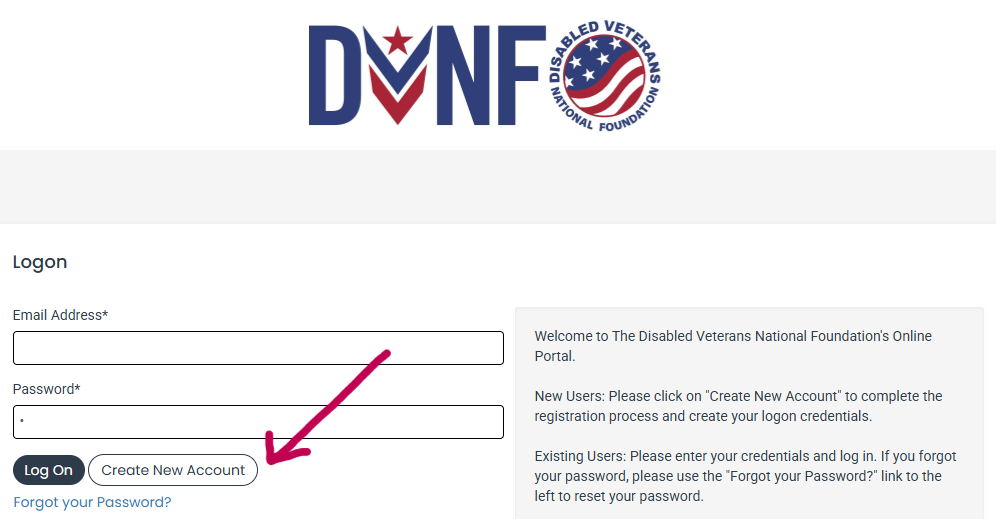
Step 1: Create Your Account
If this is your first time using the DVNF Applicant Portal:
- Click Create New Account.
- Enter your name, email address, and create a password.
- Check your email for a verification message.
- Verify your email address before logging in.
If you already have an account, simply enter your email and password and select Log On.
If you forgot your password, click Forgot Your Password to reset it.
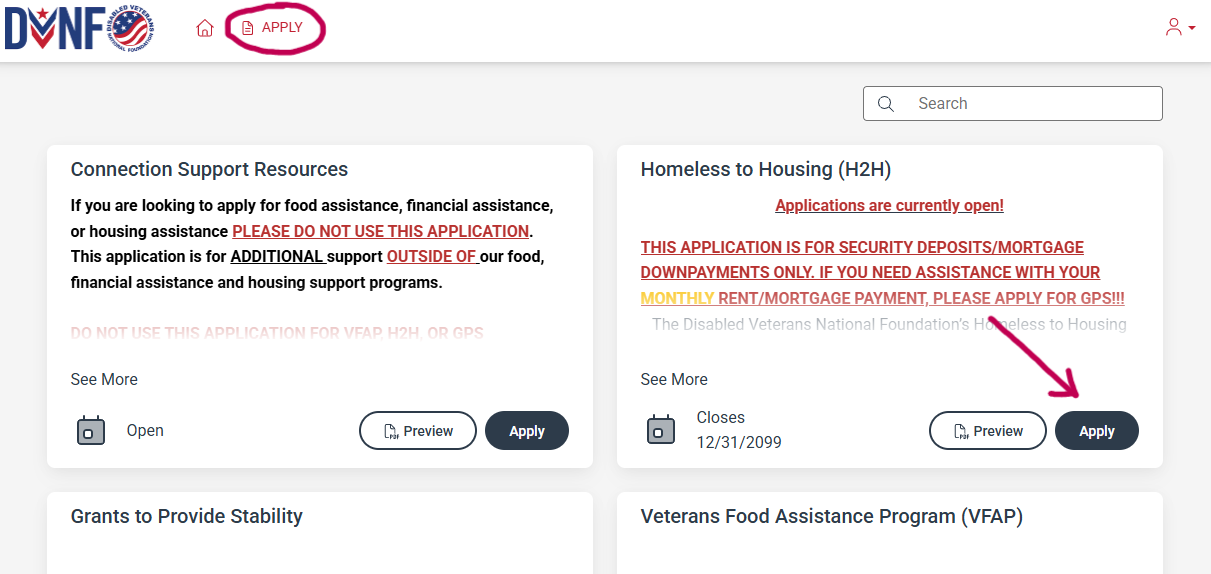
Step 2: Start an Application
After logging in:
- Select Apply from the menu.
- Review the available DVNF programs.
- Click Apply next to the program you wish to request assistance from. Please verify you are selecting the correct application before moving forward.
- Verify your email address before logging in.
If applications are currently closed, there will be a notification indicating the program will not be accepting new submissions. You must wait until the next month to submit.
Step 3: Complete Your Application
As you complete your application:
- All required questions are marked with an asterisk (*).
- Answer every question honestly and completely
- Upload all requested supporting documentation.
- Review your responses before submitting.
Your work saves automatically while you complete the application, and you may also save manually to finish later.
Step 4: Upload Required Documents
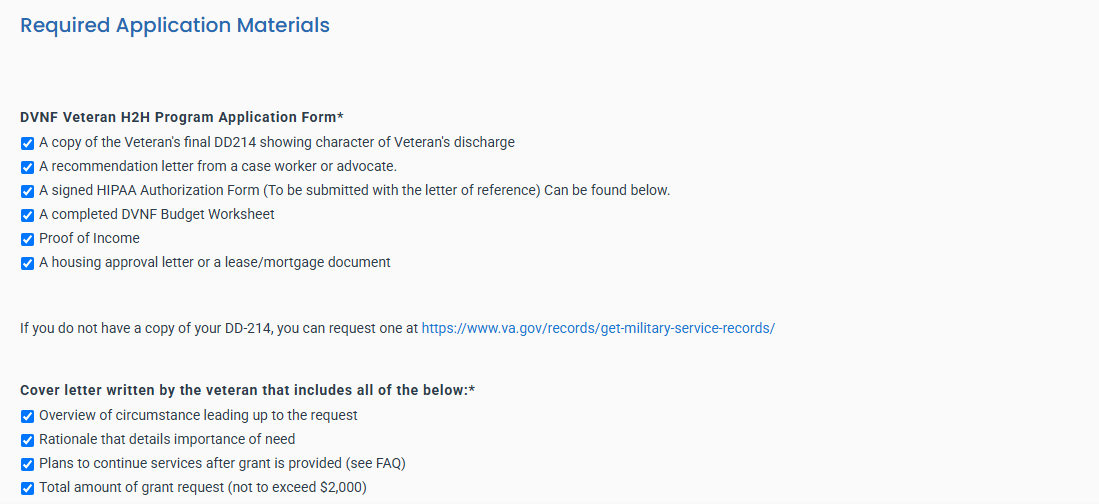
Depending on the program, you may be asked to provide documentation such as:
- DD214 or other proof of military service
- Proof of income
- VA Disability Letter
- Lease or housing documentation
- Utility Bills
- Eviction notice
- Case manager recommendation letter
- Other supporting documents
Please upload clear copies. If the file size is too big, please screenshot the file to reduce its quality and upload it. If issues persist, please contact your program of interest to assist you further.
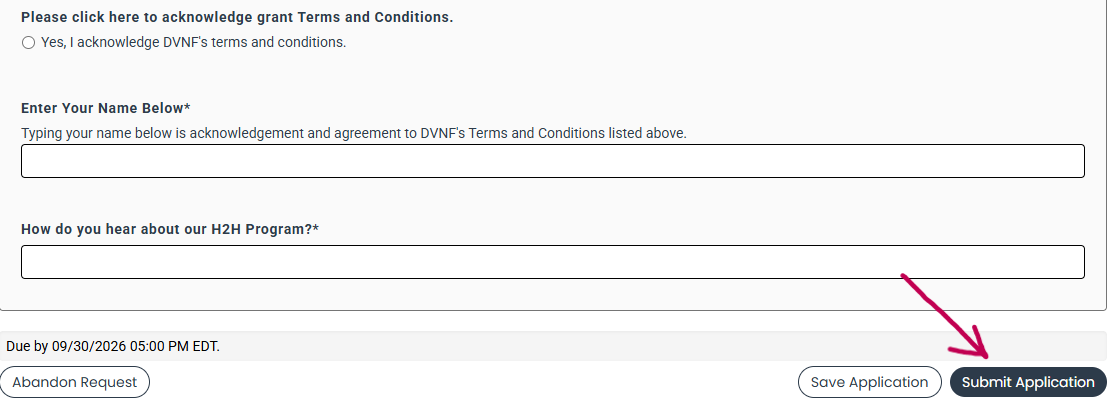
Step 5: Submit Your Application
When your application is complete:
- Review all responses and ensure all required questions are completed.
- Click Submit Application.
After submission:
- Your application cannot be edited.
- You will receive a confirmation email.
- DVNF staff will review your request and contact you via email if approved or denied.
- If approved, you may need to complete additional requested follow-up forms located on the portal.
If additional information or clarification is needed, you will receive an email or phone call.